SQ
Synquake
Get Early Access

Built for reliable sync

Synquake uses a smart internal data model that intelligently translates and moves your information between platforms — with maximum fidelity.

1

Connect Your Tools

Securely link Airtable, Webflow, WordPress, and future platforms using official APIs and OAuth where available.

2

Define the Flow

Visually map fields, choose sync direction (one-way or bi-directional), and set rules for how data should transform.

3

Sync Automatically

Run real-time syncs or scheduled batches. Synquake continuously keeps your systems in perfect harmony.

What's a Synq?

A Synq is one configured sync in the Synquake app: a source connection, a destination connection, the fields you've mapped between them, and an optional schedule. Elsewhere on this site, "sync" means the action of moving data, and "syncs" counts them.

Synquake in action

A look inside the app, from connecting your platforms to keeping an eye on every sync.
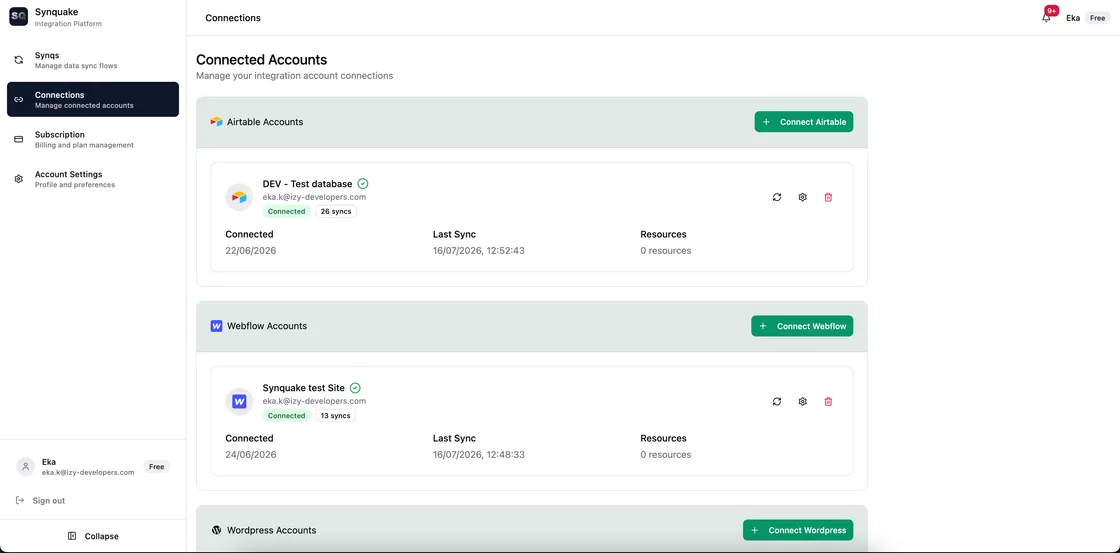
Manage your connections: Link Airtable, Webflow, WordPress and more once, and see each connection's status, how many syncs use it, and when it last synced, at a glance.
Manage your connections

Link Airtable, Webflow, WordPress and more once, and see each connection's status, how many syncs use it, and when it last synced, at a glance.

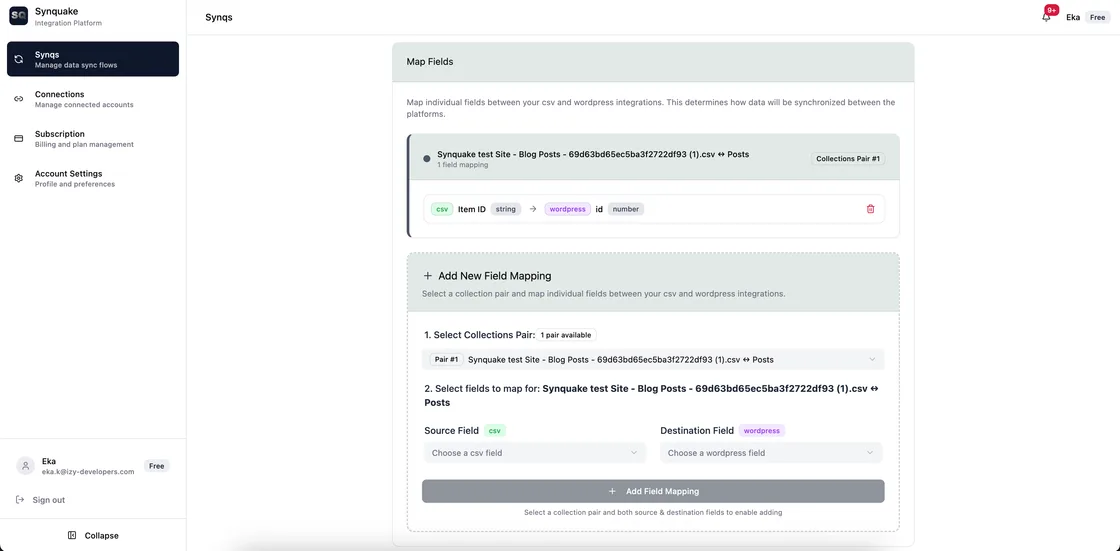
Map fields visually: Pick a collection pair, choose the source and destination field, and see exactly how each field lines up. No code required.
Map fields visually

Pick a collection pair, choose the source and destination field, and see exactly how each field lines up. No code required.

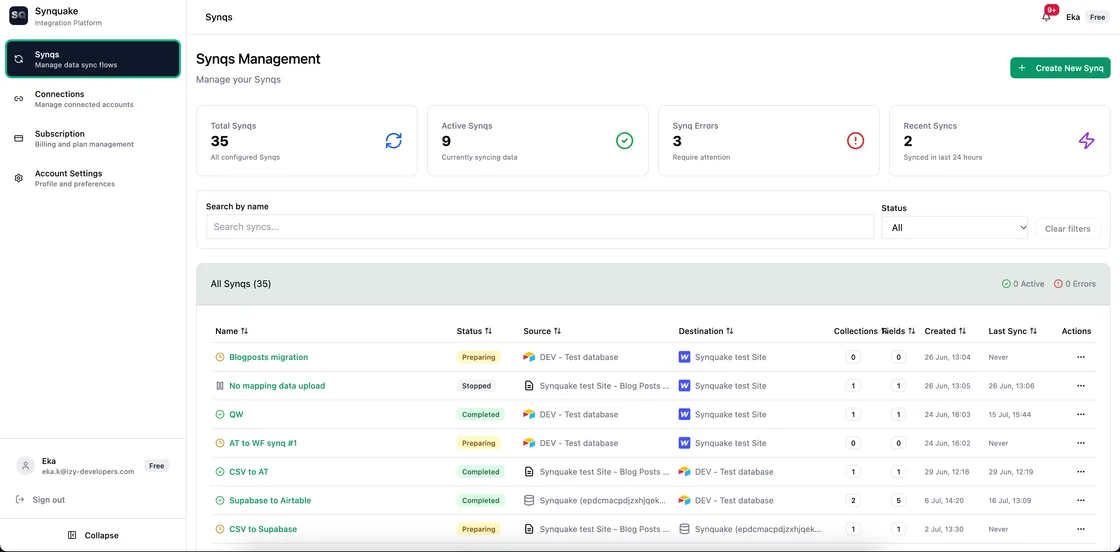
Manage every sync in one place: Track total, active, errored, and recent syncs, and search or filter the full list by status.

Manage every sync in one place

Track total, active, errored, and recent syncs, and search or filter the full list by status.
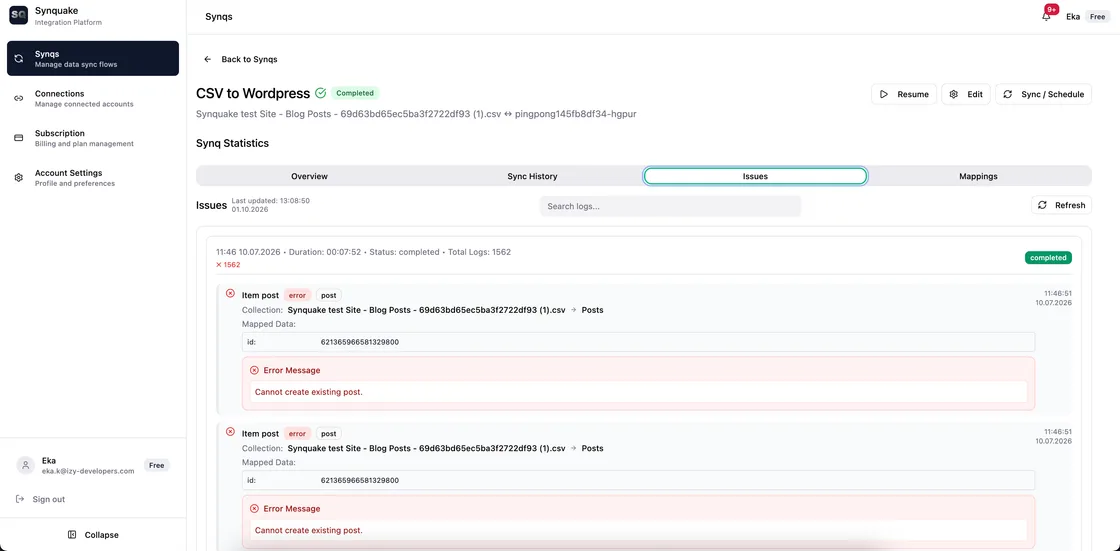
Know exactly what happened: Every sync run is logged record by record, with the exact error message for anything that needs attention.

Know exactly what happened

Every sync run is logged record by record, with the exact error message for anything that needs attention.

Our Intelligent Data Core

We built a powerful internal canonical data model that acts as a universal translator between different platforms.

This model preserves as much information as possible during transfer — including rich text, relations, attachments, custom fields, and metadata.

Result: You get clean, accurate data movement with minimal manual cleanup.

Source (Airtable) Synquake Core Destination (Webflow)
Intelligent mapping • Type conversion • Conflict resolution • Validation

Security First

Your data is always protected

All data transferred through Synquake is end-to-end encrypted in transit and at rest. Our team has zero direct access to your information. We never store your source data — only the necessary mapping configurations.

Important Note

While our internal model is designed to preserve data with maximum fidelity, some data loss may occur if the destination platform (CMS or database) does not support certain field types or features.

Example: Complex rich text formatting or advanced relation structures may be simplified when moving to platforms with more limited capabilities. We always show clear previews before syncing.

Ready to experience reliable sync?

Join the Beta

Start syncing in minutes — no credit card required

See supported integrations · Read a setup guide